Kind 01 · Layover
You're in their city.
Twenty-six hours in Singapore. Your best friend from training is based there. The Overlap makes sure you don't find out on the flight home.
For crew
Mark your days off and your trips — The Overlap finds the layovers and days off you share with friends. Wherever you land — land together.
Sound familiar
Same hotel block.
You found out on Thursday.
Crew life scatters your people across the planet. The group chat is roster screenshots and guesswork — nobody cross-checks twelve time zones by hand. The overlap was right there. You just couldn’t see it.
How it works
01
Tap the days you’re off, drag across a run of them, add each trip with its layovers. A couple of minutes for a month — and every day in it is one you put there.
SYD · One night in Sydney
Deliberate, not guessed. No spreadsheets, no screenshots in the group chat.
02
Your layovers and days off are quietly cross-checked with your friends’. Same city, same dates — that’s an overlap, and it rises to the top of your feed.
A 41-hour Tokyo layover. A Tuesday off at home. Both count.
03
Open the overlap, tap “I’m in”, and everyone sees who’s going. When the whole crew’s in — everyone’s in, reminders set.
From roster to reservation in three taps.
The moment
Your month
Priya’s
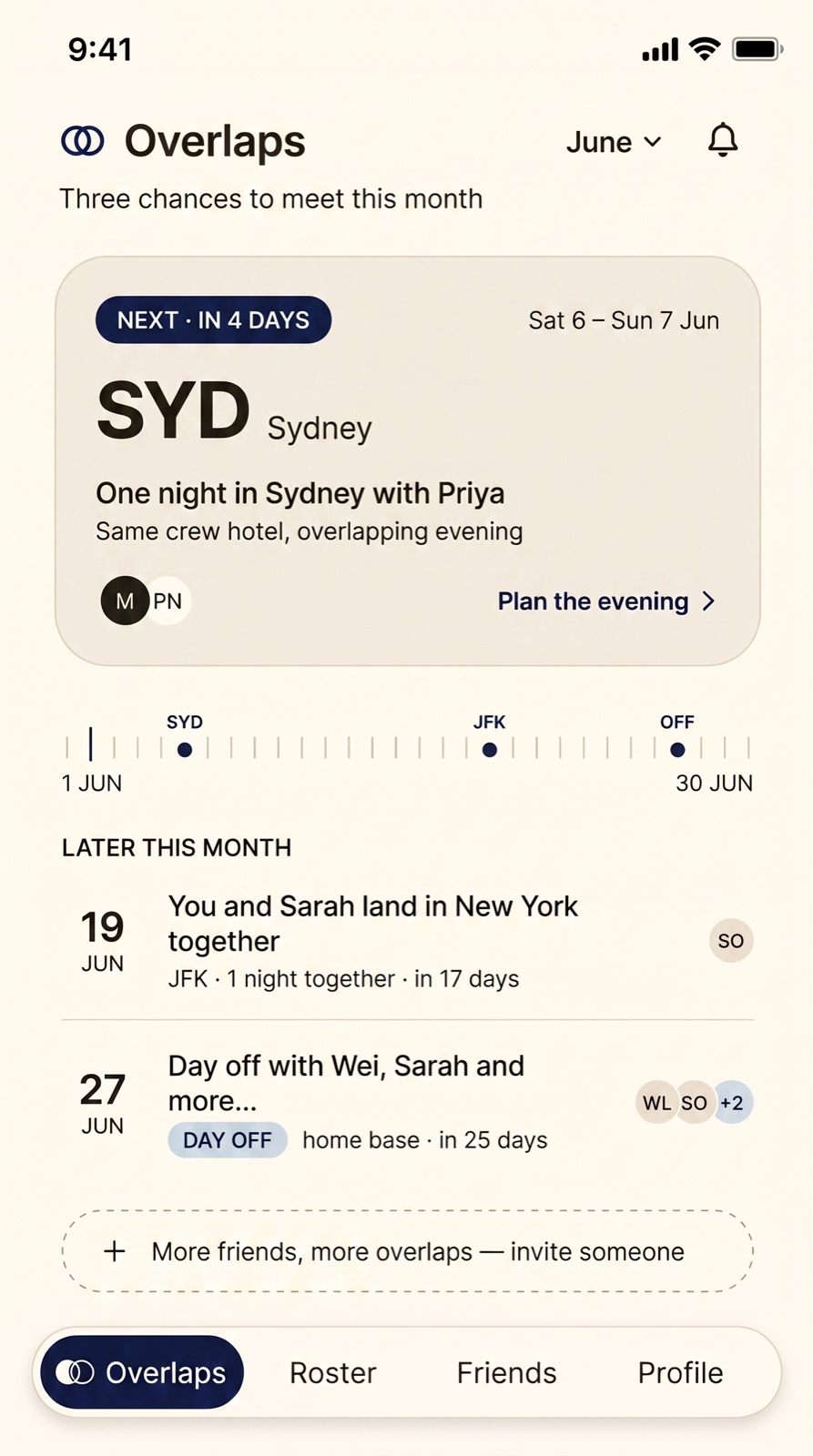
SYD Sydney
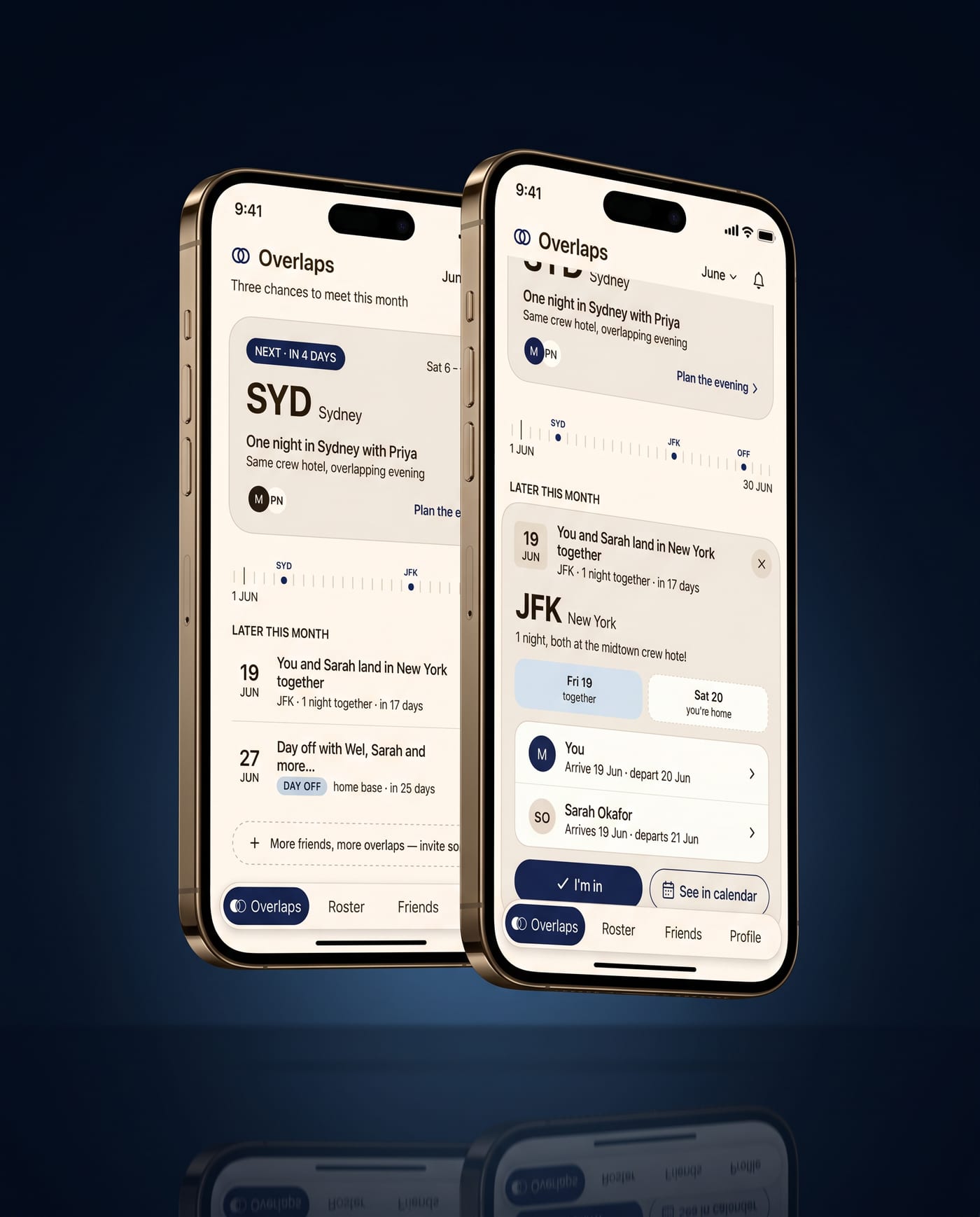
One night in Sydney with Priya
Same crew hotel, overlapping evening
Same city, same dates — that’s the overlap.
Two kinds of lucky
Kind 01 · Layover
Twenty-six hours in Singapore. Your best friend from training is based there. The Overlap makes sure you don't find out on the flight home.
Kind 02 · Day off
A quiet Tuesday at home in Hong Kong — and her 48-hour HKG layover. You'd never have checked. It's already in your feed.
Where the two circles meet — that’s the overlap.
Inside the app

F·01
Your next shared city sits at the top — who, where, and for how long. A horizon strip shows the whole month at a glance.
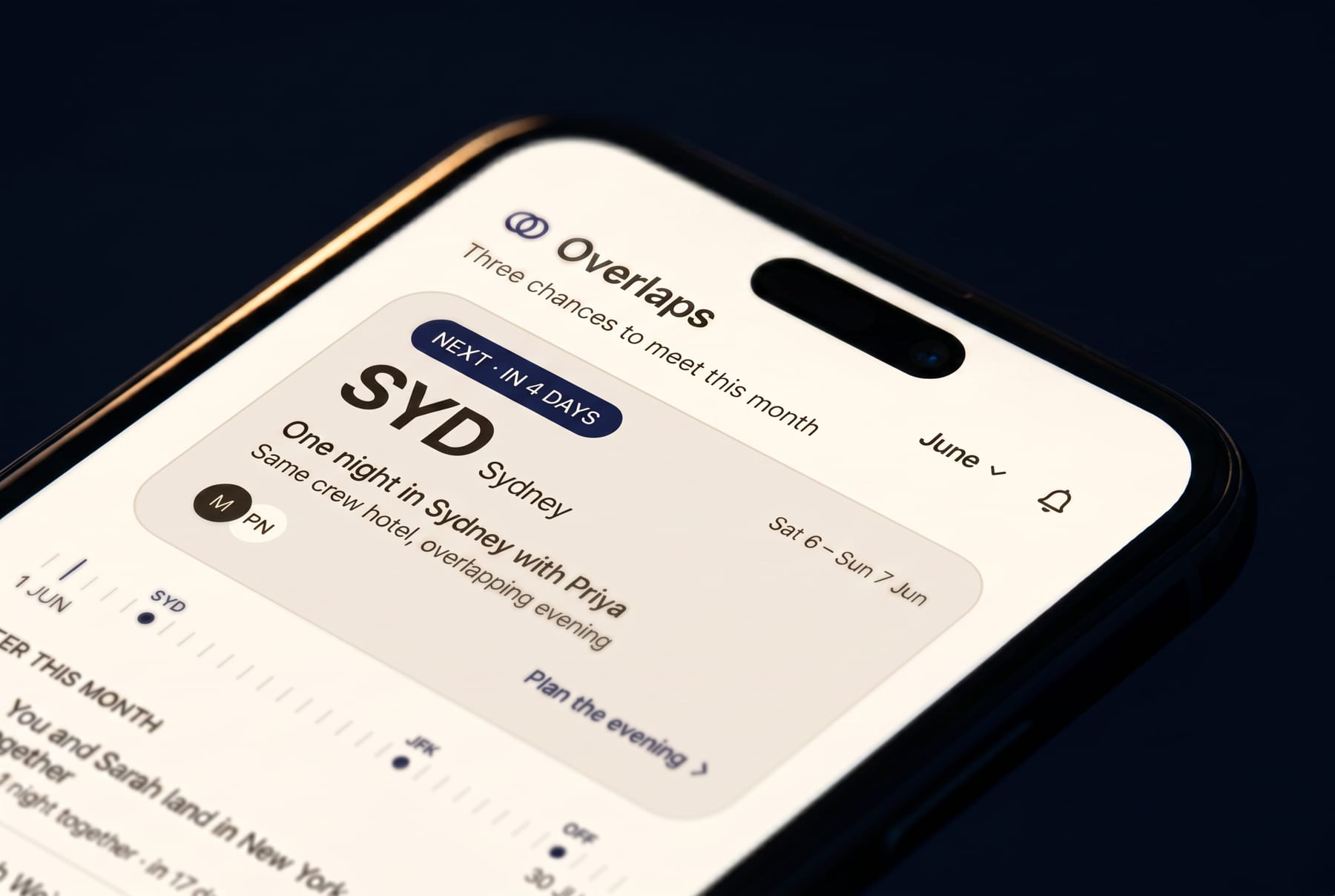
F·02
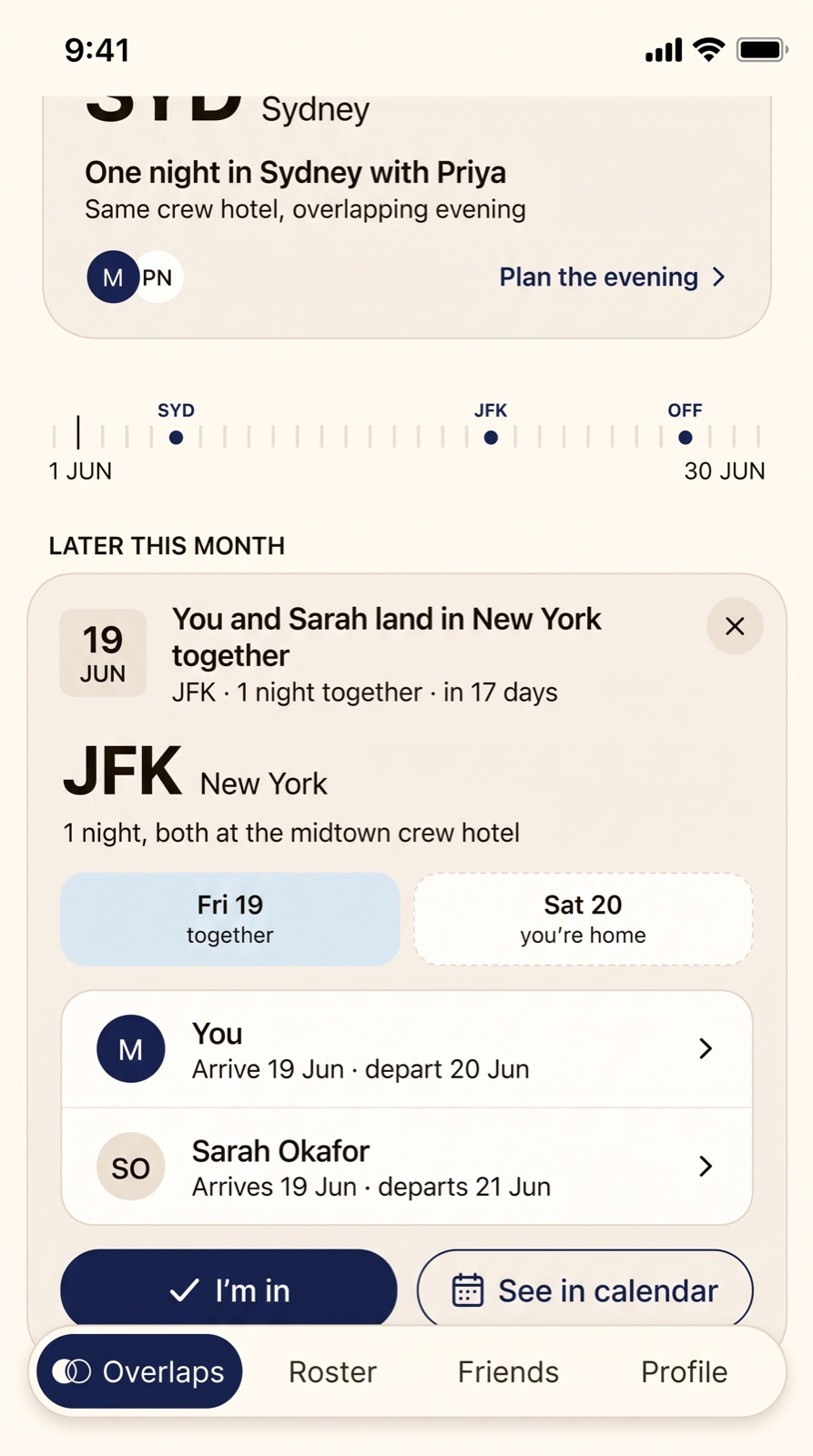
Cards expand in place — no modal maze. Who’s in town, which nights line up, layover or day off: it’s all on the card.
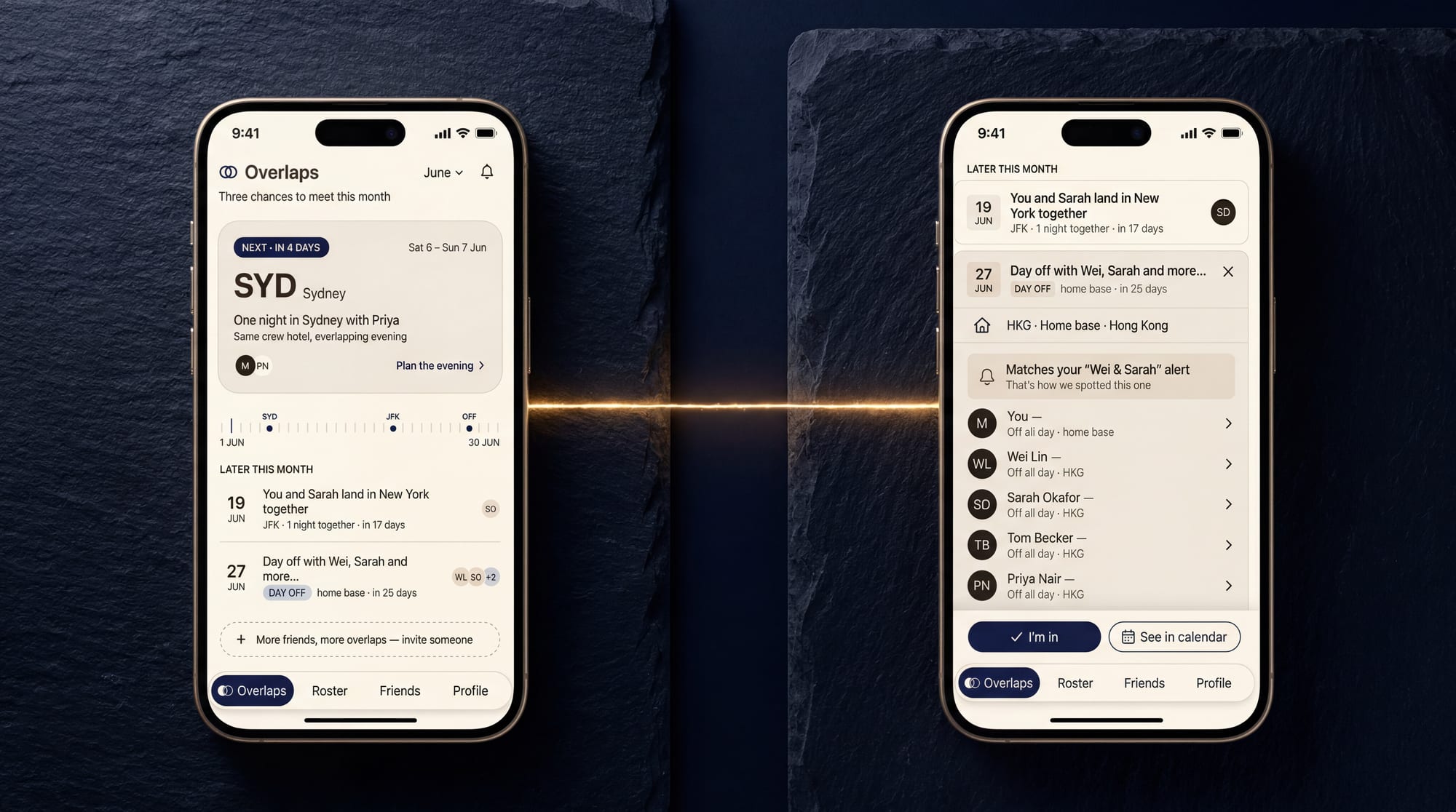
F·03
Tap “I’m in” and everyone sees who’s going. When the whole crew’s in — everyone’s in, reminders set. The plan holds itself together.

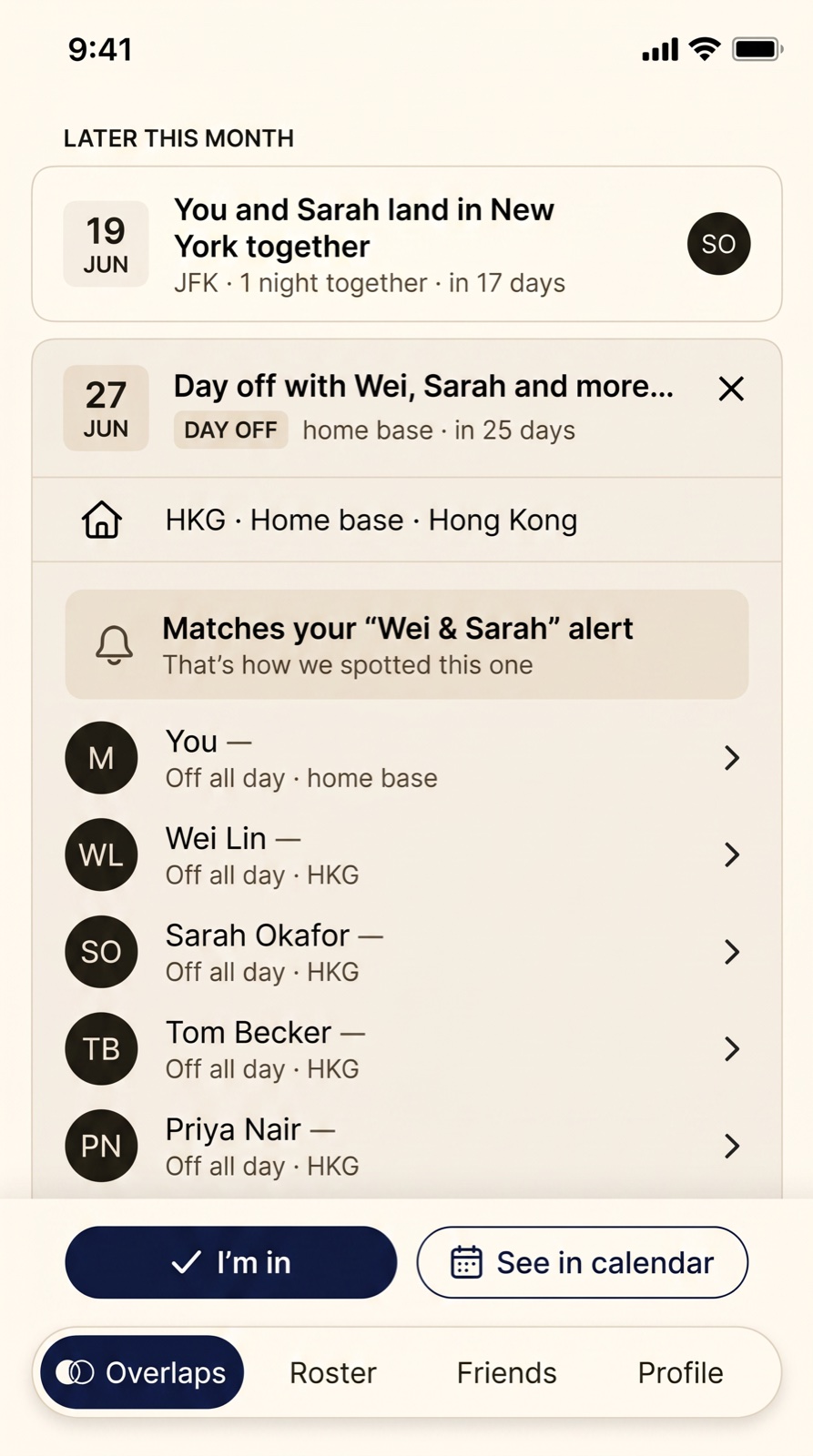
27 Jun · Home base
Day off with Wei, Sarah +2
✓ In your calendar
F·04
Every overlap lands in your calendar view, right beside the month you marked. Mark it once — the overlaps keep themselves current.
Field stories

48 hours · HKG
Four rosters, one long table. Nobody checked a spreadsheet.


Layover × layover · TYO
Wei was passing through. So was Tom. The Overlap did the math.

Day off × layover · SYD
Four rosters lined up for once. Flat whites on the foreshore.
Illustrative scenes — our design personas, not real crew
Privacy first
Crew life runs on rosters — and rosters are personal. The Overlap is built so you share moments, not your movements.
Only the cities and dates you share surface to friends. Your full roster is never visible to anyone but you.
Finding an overlap takes two dates and a city — so that is all The Overlap ever compares. It works quietly in the background, and there are no feeds of anybody's month.
Delete your account any time — your roster data and overlaps go with you.
Field notes
“Three of us had the same Paris weekend and none of us knew. We'd have all sat in our hotel rooms.”
Illustrative voices from our design personas — the app is pre-launch
The Overlap is on final approach — iOS first, with early invites for crew.
Invites land with friends first